Ghost 忘记密码怎么办?
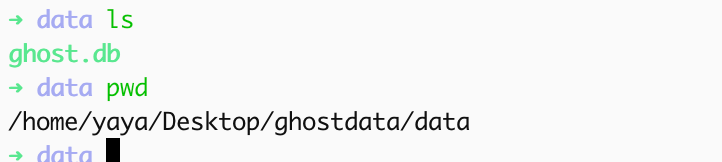
找到ghost.db文件,大概率在一个data目录下:
使用sqlite3打开。sqlite3 ghost.db

如果没有sqlite3命令,使用pip install sqlite3
创建新的密码,可以使用node脚本, 执行前先安装npm install bcrypt:
import bcrypt from 'bcrypt';

const password = 'your_password';
const saltRounds = 10;

bcrypt.hash(password, saltRounds, (err, hash) => {
  if (err) throw err;
  console.log('生成的哈希:', hash);
});
获得新的加密后的密码。
使用sqlite命令更新id 为1一般是管理员的id号,如果想要改其他的账户密码就修改id即可:
update users set password = '$2b$10$p--------------------------------' where id = 1;然后重启ghostblog
如果你的账号因为尝试次数过多已被锁定别忘记解锁:
update users set status = "active" where id = 1;